Фрагмент из книги.
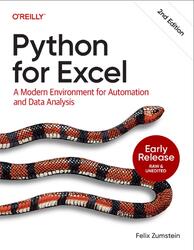
Many Excel users start to reconsider their spreadsheet tools when they hit a limitation. A classic example is when Excel workbooks contain so much data and so many formulas that they become slow or in the worst case, crash. Don’t let it get that far! If you work on mission-critical workbooks where errors can result in financial or reputational damage or if you spend hours updating Excel workbooks manually, you should add a programming language to your tool belt.
Jupyter Notebooks.
In the previous section, I showed you how to start an interactive Python session in a Terminal. This is useful if you want a bare-bones environment to test out something simple. For the majority of your work, however, you want an environment that is easier to use. For example, going back to previous commands and displaying charts is hard with a Python REPL. That’s why Jupyter notebooks have emerged as one of the most popular ways to run scientific Python code. You interact with Jupyter notebooks in the browser and they allow you to tell a story by combining executable Python code with formatted text, pictures, and charts. They are beginner-friendly and thus especially useful for the first steps of your Python journey. They are, however, also hugely popular for teaching, prototyping, and researching, as they facilitate reproducible research.
Jupyter notebooks have become a serious competitor to Excel as they cover roughly the same use case as a workbook: you can quickly prepare, analyze, and visualize data. The difference from Excel is that Jupyter notebooks don’t mix data and business logic: the Jupyter notebook holds your code and charts, whereas you typically consume data from an external file or a database. Having Python code visible in your notebook makes it easy to see what’s going on, whereas in Excel the formulas are hidden behind a cell’s value.
Content.
Part 1: Introduction to Python.
Chapter 1: Why Python for Excel? (available).
Chapter 2: Development Environment (available).
Chapter 3: Getting Started with Python (available).
Part 2: Introduction to pandas.
Chapter 4: NumPy Foundations (available).
Chapter 5: Data Analysis with pandas (unavailable).
Part 3: Python in Excel.
Chapter 6: Getting Started with Python in Excel (unavailable).
Chapter 7: Time Series Analysis with pandas (unavailable).
Chapter 8: Copilot in Excel (unavailable).
Part 4: xlwings.
Chapter 9: Excel Automation (unavailable).
Chapter 10: Python-Powered Excel Tools (unavailable).
Chapter 11: The Python Package Tracker (unavailable).
Chapter 12: User-Defined Functions (unavailable).
Part 5: xlwings Lite.
Chapter 13: Scripts (unavailable).
Chapter 14: Custom Functions (unavailable).
Part 6: Reading and Writing Excel Files Without Excel.
Chapter 15: Excel File Manipulation with pandas (unavailable).
Chapter 16: Excel File Manipulation with Reader and Writer Packages (unavailable).
Бесплатно скачать электронную книгу в удобном формате, смотреть и читать:
Скачать книгу Python for Excel, Zumstein F., 2025 - fileskachat.com, быстрое и бесплатное скачивание.
Скачать файл № 1 - pdf
Скачать файл № 2 - epub
Ниже можно купить эту книгу, если она есть в продаже, и похожие книги по лучшей цене со скидкой с доставкой по всей России.Купить книги
Скачать - epub - Яндекс.Диск.
Скачать - pdf - Яндекс.Диск.
Дата публикации:
Теги: учебник по программированию :: программирование :: Zumstein
Смотрите также учебники, книги и учебные материалы:

Следующие учебники и книги:
Предыдущие статьи: