Why Linux? What is it? Where do I get it? Why are there so many different versions of it? Most beginners ask these, and many more, questions when starting out. It's true that Linux is an incredibly versatile and powerful operating system but where do you start? Thankfully, you can find the answers in this section.
There is so much you can do with Linux but you need to know where to start; we’re here to help you out. In this section you can learn what Linux is, what a distro is and what a desktop environment is. You can also begin to explore how Linux works and how it can work foryou.
WHICH MINT?
Linux Mint otters the user a choice ot versions ot the distro: Cinnamon, MATE and Xtce. While that may sound a little contusing tor the newcomer, essentially each ot the versions available contains the same core Linux structure and kernel, the kernel is the core ot the operating system, that handles all the instructions between the software and hardware.
Each version is simply a different desktop environment, the Graphical User Interface (GUI) that you use to interact with the operating system. Each of the desktop environments uses different apps to access or use the system, such as the file manager to browse the operating system's file structure or the way it launches other apps. Again though, the core available productivity, video and graphic suites are the same, and function in the same way.
Contents.
Say Hello to Linux.
Why Linux?.
The Best Linux Distributions.
Equipment You Will Need.
Desktop Environments.
Which Distro?.
Getting Started with Linux.
Creating a Linux Installer on Windows.
Installing Linux on a PC.
Installing a Virtual Environment.
Installing Linux in a Virtual Environment.
Getting to Know Linux.
Introduction to the Cinnamon Menu.
Navigating the Cinnamon Desktop.
10 Things to do After Installing Linux Mint.
Did you Know... Apollo 11.
Creating Users.
Customising the Desktop.
Becoming Anonymous Online.
Using the Terminal.
Basics of the Terminal.
Update Mint via the Terminal.
Install Apps via the Terminal-Part 1.
Install Apps via the Terminal-Part 2.
Did you Know... Linux Kernel 0.01.
Creating a File Using the Terminal.
Creating and Removing Directories.
Fun Things to do in the Terminal.
More Fun Things to do in the Terminal.
Linux Tips and Tricks.
Did you Know... Linux and the Big Bang.
Creating Bash Scripts-Part 1.
Creating Bash Scripts-Part 2.
Creating Bash Scripts-Part 3.
Creating Bash Scripts-Part 4.
Creating Bash Scripts-Part 5.
Pi x Linux = The Perfect Combination.
Command Line Quick Reference.
A-Z of Linux Commands.
Did you Know...Good enough for NASA.
Бесплатно скачать электронную книгу в удобном формате, смотреть и читать:
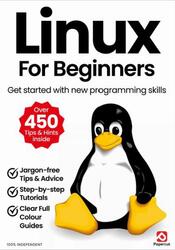
Скачать книгу Linux For Beginners, Get started with new programming skills, 2026 - fileskachat.com, быстрое и бесплатное скачивание.
Скачать pdf
Ниже можно купить эту книгу, если она есть в продаже, и похожие книги по лучшей цене со скидкой с доставкой по всей России.Купить книги
Скачать - pdf - Яндекс.Диск.
Дата публикации:
Теги: учебник по программированию :: программирование :: Linux
Смотрите также учебники, книги и учебные материалы:
Следующие учебники и книги:
Предыдущие статьи: